
Run Script Requirements vs Windows Utility Requirements
Separate the Run executor dependency from HWID Spoofer, Skin Changer and Cloud DMA specifications before changing your PC.
The Rob Run product and the three utilities share a storefront, but they do not share one confirmed setup checklist. The main product requires a separate Roblox executor. The utilities publish their own Windows and security requirements. Keeping those lists separate helps you ask the right compatibility question and avoids preparing a PC for software you are not buying.
Start with the Run dependency
The Rob Run Cheats page identifies the product as specific to Run on Roblox. A separate executor is required and is not included. Windows PC is the planning baseline. Exact Windows versions, executor support and mobile compatibility remain details to confirm before purchase.
Nothing in that brief establishes HVCI, TPM, Secure Boot or Hyper-V as Run script requirements. Do not copy a utility checklist onto the main product just because the pages appear beside each other.
HWID Spoofer has a device-focused checklist
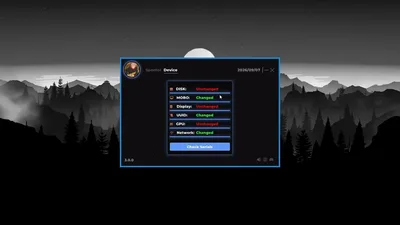
The HWID Spoofer specifications list 64-bit Windows 10 or 11, administrator rights, internet access, HVCI and Core Isolation enabled, plus TPM and Secure Boot enabled. Those requirements belong to an identifier utility with an included cleaner.
Check its current instructions before making changes. Also confirm that your actual issue fits its scope: changing listed device identifiers does not lift an account sanction. Run-specific compatibility is not established by the utility’s presence in the catalog.
Skin Changer has its own client requirements
The Skin Changer list also names 64-bit Windows 10 or 11 with HVCI, Core Isolation, TPM and Secure Boot enabled. Internet and the delivered client access are part of its setup. These are cosmetic-client specifications for supported titles.
The client changes local appearance and does not create inventory ownership. Confirm your title first. Its requirements neither demonstrate Run compatibility nor explain which executor the main product needs.
Cloud DMA adds a virtualization layer
The Cloud DMA page describes Hyper-V on one Windows PC. It lists CPU virtualization, at least 8 GB RAM with 16 GB recommended, stable broadband and its security prerequisites. GREENWARD, Static Server and AWS are separate required purchases.
Microsoft’s Hyper-V overview identifies supported Windows editions for Hyper-V. Check the edition, not just the Windows version number. The Cloud DMA checklist keeps those infrastructure questions together.
Build a checklist for the actual purchase
Write the product name at the top of your notes. Add only that product’s confirmed requirements, then list unresolved compatibility questions underneath. If you are comparing products, use separate columns rather than merging every requirement into one machine-wide instruction list.
For Run alone, resolve the executor and device questions first. For a standalone utility, ask about its current title coverage and full requirements. Use Support when the documentation does not establish the combination you plan to use. A precise checklist should make your purchase clearer rather than imply that every utility is necessary.