
Rob Run Cheats for the Run Experience
Read the next obstacle section with more information on screen. Rob Run Cheats centres on ESP for Run on Roblox. Check current availability and your executor before choosing access.
Product Overview
At a glance
Key capabilities
The short list for Rob Run Cheats, before the full module list.
Overview
Make the next section easier to read
How the product features and requirements relate to Run.
In Run, a missed jump can end the round. ESP adds visual information so you can identify the objects that matter to the route ahead. That gives you more time to judge your approach while you still control the run.
This product targets Run specifically. The exact ESP object list and movement helpers have not been established, so this page does not promise collectible tracking, auto-jump or speed controls. Ask support about a feature that will decide your purchase.
Read the next obstacle section with more information on screen. Rob Run Cheats centres on ESP for Run on Roblox. Check current availability and your executor before choosing access.
ESP and the obstacle loop
Run moves quickly. When several obstacles appear together, information has value before the jump rather than after it. ESP draws an overlay on screen to help you read the section and plan your next input. It does not make every route safe or replace the need to respond. Read the Run ESP guide for examples and coverage limits.
Know the scope before buying
Rob Run Cheats is a Run-specific product. A listing for another Roblox experience does not establish compatibility here. If you need a particular object category or movement helper, ask for its current name and availability before checkout. Exact colours, range sliders and per-feature controls are not confirmed.
Executor and device requirements
A separate Roblox script executor is required. The product cannot run by itself. Windows PC is the baseline in the product brief; specific Windows versions, supported executors and mobile support remain questions for current documentation. Do not apply the security requirements of the utility products to this script. Use the Rob Run executor checklist to prepare device and access questions before purchase.
Checkout and access
Purchase options and terms appear on the external checkout page. Read the access and delivery instructions there. Check whether any key system applies and how the executor is supplied; neither is established by this page. For order questions, use the existing Support page.
Updates and limitations
A game update can change the objects a script expects to find. An executor update can change how a script runs. Recheck current instructions when behaviour changes. Third-party tools can lead to account action; the ESP description is not a promise of permanent detection avoidance. The Run update troubleshooting guide explains what to record for support.
Modules
What's included
The full option list for Rob Run Cheats. Each line can be switched in the menu.
- ESP
Experience
Product notes · Before setup
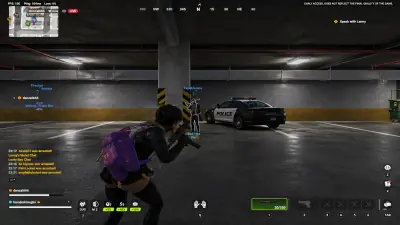
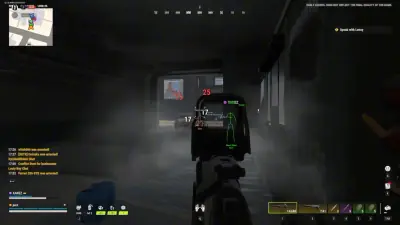
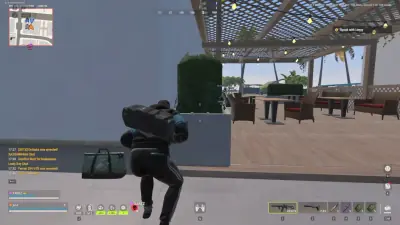
Read the product scope and executor requirements before choosing access. The supplied captures show a garage, an indoor sight view and an outdoor terrace.
Supplied captures
- Layer A
Garage encounter
A supplied garage capture with a highlighted figure, a police car and blue labels across the scene.
- Layer B
Indoor sight view
A supplied indoor capture showing a weapon sight, character outlines and on-screen damage numbers.
- Layer C
Outdoor terrace
A supplied outdoor capture with terrace seating, a slatted canopy and labels visible beyond the wall.
More products
Pairs well with
Utilities sold beside the cheat. Each one keeps a separate page.
- HWID Spoofer HWID Spoofer works on the machine identifiers described in its feature list. Disk serials, MAC addresses and GPU IDs are among the fields it can change. The included cleaner handles traces as part of the documented workflow. View details: HWID Spoofer
- Cloud DMA Cloud DMA installs a Hyper-V virtual environment on one Windows PC. Its guided installation and encrypted activation belong to the infrastructure service rather than to the Run script. View details: Cloud DMA
- Skin Changer Skin Changer changes how supported cosmetics appear in your own client. Its library includes weapon finishes, outfits and knife styles for supported titles. These are visual previews rather than items added to an account. View details: Skin Changer
FAQ
Questions about this page
Answers for this page. The FAQ page holds the rest.
Blog
Related guides
Understand ESP, plan your executor checks and separate Run requirements from optional utilities.
What ESP adds to Run, how to think about the next obstacle section, and which overlay details still need confirmation.
A practical dependency checklist for Run buyers: executor, device, access instructions and the difference between script and utility requirements.
Check Run scope, ESP expectations, the separate executor and access terms before choosing purchase options.
Separate an ESP issue, executor issue and access issue, then prepare a useful support report without guessing at unsupported fixes.